
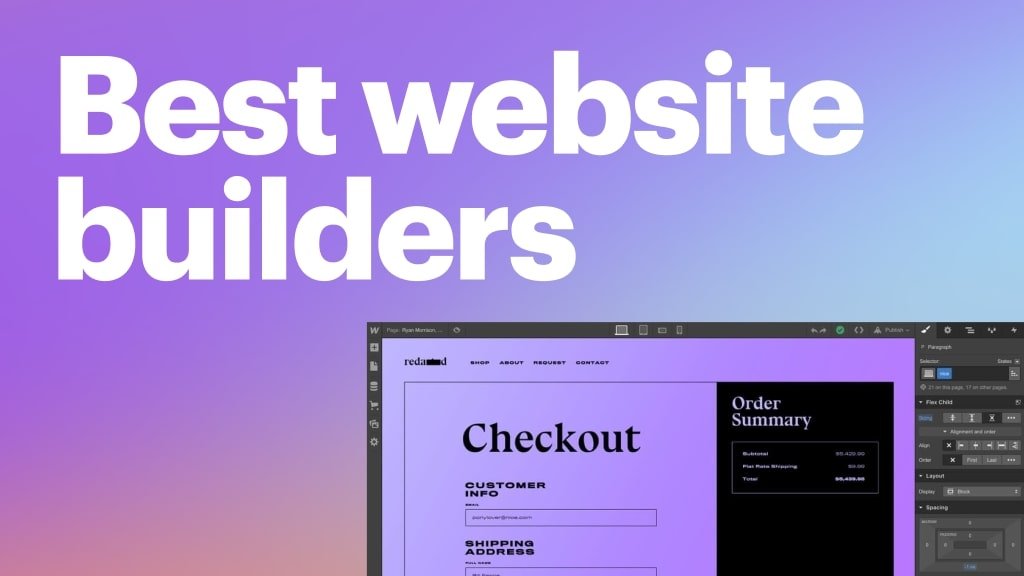
If you’re just starting online and want to build a website without code, this guide walks you through every step — clearly, honestly, and with real recommendations based on hands-on usage and affiliate opportunities.
We cut the fluff and give you real value, so you can pick the right website builder today and start your project with confidence.
🧠 What This Guide Covers
- ⭐ What makes a good beginner website builder
- 🏆 Top recommended builders (2026)
- 📊 Comparison + quick decision table
- 💡 When to pick which builder
- 💰 Pricing and real cost expectations
- 📌 SEO & future scalability insights
🎯 What Makes a Website Builder Great for Beginners
Not all builders are beginner-friendly. To earn a spot here, a builder must have:
✅ True drag-and-drop visual editing
✅ No code required, no developer needed
✅ Easy setup (no server or hosting hassles)
✅ Simple publishing workflow
✅ Beginner-friendly support & tutorials
✅ Built-in SEO basics
✅ Affordable and transparent pricing
🏆 Best Website Builders for Beginners (2026)
Here are the top options based on ease of use, beginner friendliness, scalability, and overall value.
🥇 Wix – Best Overall for True Beginners

Wix is the most beginner-friendly website builder on the market. No technical setup, no hosting purchases, purely drag-and-drop.
Why it’s perfect for beginners:
- 100% visual editor — click anywhere to edit
- Hundreds of simple templates
- Automatic hosting included
- SEO basics built in
- AI-assisted site creation with prompts
Best for:
- Small business websites
- Personal portfolios
- Service pages
- Hobby projects
Limitations:
- Less flexibility than WordPress-based builders
- Larger sites with heavy content can get slower
👉 If it’s your first website and you want zero setup stress → Wix
🥈 Squarespace – Best “All-in-One” Creative Starter
Squarespace combines design beauty with simplicity.
Why it’s great for beginners:
- Clean, professional templates
- Built-in analytics
- Blogging included
- Free SSL and hosting
Best for:
- Creatives
- Photography/portfolio sites
- Small businesses
- Coaches & consultants
Limitations:
- Slight learning curve compared to Wix
- Less SEO control than WordPress
👉 Best for beginners who care about design aesthetics and simplicity.
🥉 WordPress + Elementor – Best Starter with Growth Potential
Elementor on WordPress is not the simplest, but it’s the best long-term choice if you want more control and scalability.
Why beginners love it:
- True visual editor (no code)
- Massive community + plugins
- Works with beginners + advanced users
- Easy SEO tools integration
Requirements:
- Hosting (e.g., Hostinger or similar)
- Domain purchase
- WordPress setup (often one-click with hosts)
Best for:
- Bloggers
- Marketers
- Businesses planning to scale
👉 Best if you want growth and flexibility beyond a simple brochure site.
🔥 Other Solid Options for Beginners
| Builder | Best For | Ease for Absolute Beginners |
| Weebly | Simple sites | ⭐⭐ |
| Webflow | Designers | ⭐⭐ |
| Shopify | Online stores | ⭐⭐⭐ |
Note: Webflow is powerful but not ideal for total beginners (more design learning required).
💡 How to Choose Based on Your Goal
📍 If you want fast and easy
Pick: Wix
→ Make a site in hours without hosting, domains, or setup.
📍 If you want design beauty first
Pick: Squarespace
→ Templates look great out of the box.
📍 If you want SEO + scalability
Pick: WordPress + Elementor
→ Works with SEO plugins, blogs, funnels.
📍 If you want eCommerce
Pick: Shopify or WordPress + WooCommerce
→ Shopify is easiest; WP gives flexibility.
💸 Real Cost Expectations (2026)
Here’s what you should plan to spend:
Wix
- Basic Site: $14–$23/mo
- Business/E-commerce: $27–$59/mo
Squarespace
- Basic: $16–$23/mo
- Business: $23–$39/mo
- Commerce: $39–$65/mo
WordPress + Elementor
- Hosting: $3.99–$10/mo (Hostinger/Bluehost)
- Domain: $10–$20/yr
- Elementor Pro: $59–$199/yr
Pro Tip: WordPress + Elementor usually has lower long-term cost if you build many sites.
🧩 Beginner Setup Checklist
No matter which builder you pick, follow this:
- Pick a domain name
- Choose a beginner-friendly theme/template
- Set meta titles and descriptions
- Add your logo and contact info
- Connect Google Analytics
- Create key pages:
- Home
- About
- Contact
- Services/Products
- Home
- Publish and submit sitemap to Google Search Console
This will get you indexed faster.
📌 SEO Considerations for Beginners

Even if you don’t code, you can still:
- Set page titles/descriptions
- Edit URLs
- Add alt text to images
- Use fast images
- Avoid huge page sizes
Builders like Wix and Squarespace let you do all this without code.
WordPress + Elementor gives even more control with plugins like:
- Yoast SEO
- Rank Math
🏁 Final Verdict — Best Website Builder for Beginners
If you want the simplest possible start: → Wix
If you want growth + control: → WordPress + Elementor
If design matters most: → Squarespace
✨ What to Build First as a Beginner
Here are 3 common beginner use cases:
- Local business site
- Personal blog
- Portfolio site
Wix handles all 3 easily.
WordPress + Elementor is best if you plan to grow traffic.
We offer Website Design and SEO Services in the Following Areas:
Georgetown | milton | Aurora | Bolton | axja | pickering | brampton | richmond | Mississauga vaughan | scarborough | etobicoke | markham | oakville