
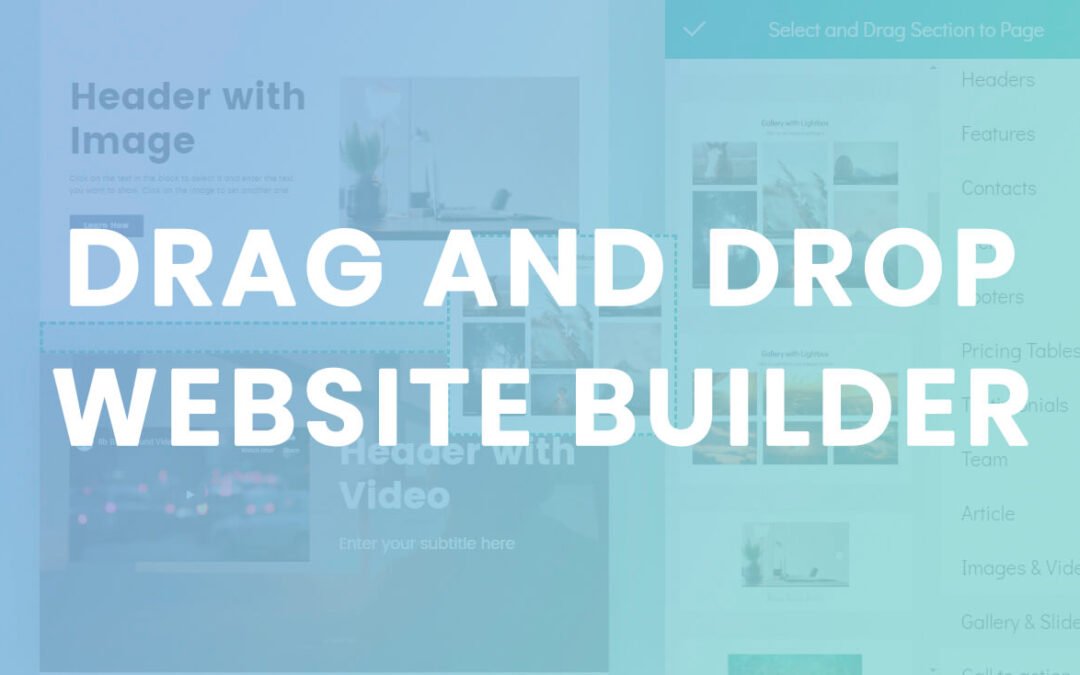
This definitive guide helps you pick the best drag‑and‑drop builder for any goal — business site, blog, portfolio, or online store — and explains what truly matters when choosing one in 2026.
Let’s jump in.
🔍 What This Guide Covers
- ✅ What “drag and drop” really means
- 🏆 Top drag‑and‑drop builders in 2026
- 📊 Side‑by‑side comparison
- 🧠 How to choose based on your goal
- 💰 Real‑world pricing (2026)
- 📈 SEO & speed considerations
- 📌 Honest pros & cons
- ❓Frequently asked questions
🧠 What Is a Drag and Drop Website Builder?
A drag‑and‑drop builder lets you build pages visually — no code, no developers.
You literally:
✔ Drag elements (text, buttons, forms)
✔ Drop them where you want
✔ Customize styles visually
That means:
- Beginners can build real websites
- You don’t need technical skills
- You can launch fast
Not all drag‑and‑drop builders are equal — some focus on beginners, some on design flexibility, some on conversions.
🏆 Best Drag and Drop Website Builders in 2026
Below are the top options, evaluated by:
✔ Ease of use
✔ Design flexibility
✔ SEO control
✔ Performance
✔ Value for cost
✔ Integrations
🥇 Wix – Best All‑Around Drag & Drop Builder

Wix wins because it’s truly drag‑and‑drop from start to finish — no blocks, no confusing grid systems.
Why it wins
- Starts visually — no code
- Tons of widgets & blocks
- Templates for every niche
- Built‑in SEO tools
- Hosting included
Best For
✔ Small businesses
✔ Portfolios
✔ Services
✔ Beginners
Pros
✔ Zero setup friction
✔ Large template library
✔ Good SEO basics
✔ Affordable plans
Cons
❌ Less customizable than code‑based builders
❌ Can get expensive with add‑ons
👉 Best choice for beginners who want everything visual and simple.
🥈 Webflow – Most Flexible Drag & Drop Design Builder

Webflow offers near developer‑level visual design without code.
Why it’s special
- Full layout control
- Advanced animations
- Interactions and dynamic CMS
- Clean exported code
Best For
✔ Designers
✔ Agencies
✔ Advanced users
✔ Custom visuals
Pros
✔ Powerful design capabilities
✔ Good SEO readiness
✔ Fast hosting
✔ CMS for dynamic content
Cons
❌ Steepest learning curve
❌ More expensive than basic builders
👉 Best if you want design precision without coding.
🥉 Squarespace – Beautiful Visual Builder
Squarespace is known for its polished drag‑and‑drop templates.
Why people like it
- Elegant design templates
- Visual editing with real preview
- Built‑in blog + ecommerce
Best For
✔ Creatives
✔ Photographers
✔ Boutique stores
✔ Designers who favor aesthetics
Pros
✔ Stunning default designs
✔ Simple UI
✔ Good business features
Cons
❌ Less flexible than Webflow
❌ SEO is okay but not best‑in‑class
👉 Best if looks matter and you want simplicity.
⭐ Shopify Page Builder – Best for eCommerce Focused Sites

Shopify isn’t just an ecommerce platform — its page builder lets you drag and drop pages inside your store.
Why it works
- Built‑in store management
- Checkout and products baked in
- Easy visual editor
Best For
✔ Online stores
✔ Retail brands
✔ Dropshippers
Pros
✔ Best ecommerce workflows
✔ Integrated payments
✔ Large app ecosystem
Cons
❌ Not ideal for non‑store sites
❌ Costs add up
👉 Best if your primary goal is selling products.
🪄 Elementor – Drag & Drop for WordPress Sites

Elementor is not a standalone builder — it’s a visual drag‑and‑drop builder inside WordPress.
Why it’s powerful
- Visual canvas
- Hundreds of widgets
- Works with SEO plugins
- Perfect for blogs + SEO + landing pages
Best For
✔ Marketers
✔ Bloggers
✔ SEO builders
✔ Agencies
Pros
✔ Works with WordPress flexibility
✔ Unlimited layouts
✔ Huge community
Cons
❌ Requires hosting + setup
❌ Slight learning curve
👉 Best if you want drag & drop + SEO + content power.
📊 Drag & Drop Builders — 2026 Comparison
| Builder | Drag & Drop Experience | Best For | SEO Control | Hosting | Price |
| Wix | ⭐⭐⭐⭐⭐ | Beginners | ⭐⭐⭐ | Included | $14/mo+ |
| Webflow | ⭐⭐⭐⭐ | Designers | ⭐⭐⭐⭐ | Included | $16/mo+ |
| Squarespace | ⭐⭐⭐⭐ | Creatives | ⭐⭐⭐ | Included | $16/mo+ |
| Shopify | ⭐⭐⭐⭐ | eCommerce | ⭐⭐⭐ | Included | $39/mo+ |
| Elementor | ⭐⭐⭐⭐ | SEO & WordPress | ⭐⭐⭐⭐⭐ | Self‑hosted | $3.99+/mo |
🧠 How to Choose the Best Drag & Drop Builder
📌 1. Want simplicity & no hosting hassles?
➡ Wix or Squarespace
📌 2. Want design freedom like a developer, but without code?
➡ Webflow
📌 3. Main goal is ecommerce?
➡ Shopify
📌 4. Want drag & drop + full SEO control?
➡ Elementor + WordPress
💰 Pricing Reality — What You’ll Actually Pay (2026)
Wix
- Basic Site: ~$14/mo
- Business/Ecommerce: ~$27–$59/mo
Webflow
- Basic: ~$16/mo
- CMS: ~$23/mo
- Business: ~$29/mo+
Squarespace
- Basic: ~$16/mo
- Business: ~$23–$39/mo
- Commerce: ~$39–$65/mo
Shopify
- Basic: ~$39/mo
- Standard: ~$105/mo
- Advanced: ~$399/mo
Elementor + WordPress
- Hosting: ~$3.99–$10/mo
- Domain: ~$10–$20/yr
- Elementor Pro: ~$59–$199/yr
Pro Tip: Most drag‑and‑drop builders reward annual billing with discounts.
📈 SEO & Performance Tips for Drag & Drop Sites
Even if you don’t code, you should still:
✔ Create clear page titles
✔ Use friendly URLs
✔ Add alt text to images
✔ Use fast images (compress them)
✔ Submit sitemap
✔ Track site with analytics
Most builders let you do all of these without code.
🤔 Real Pros & Cons You Should Know
Wix
Pros
✔ Easiest drag & drop
✔ Hosting included
✔ SEO tools built in
Cons
❌ Templates can feel restrictive
❌ Extra costs for advanced features
Webflow
Pros
✔ Advanced design
✔ Clean output
✔ Great for CMS & dynamic content
Cons
❌ Steeper learning
❌ Higher cost than basic builders
Squarespace
Pros
✔ Beautiful templates
✔ All‑in‑one build
✔ Good for creatives
Cons
❌ Less SEO control
❌ Limited plugin ecosystem
Shopify
Pros
✔ Best ecommerce workflows
✔ Easy product setup
✔ App ecosystem
Cons
❌ Costs add up
❌ Not ideal for non‑store sites
Elementor
Pros
✔ Unlimited design freedom
✔ Works with SEO plugins
✔ Great for content + landing pages
Cons
❌ Requires hosting
❌ Slightly steeper setup
🧠 Frequently Asked Questions
Q: Do drag & drop builders rank on Google?
Yes — with SEO basics implemented correctly.
Q: Which is easiest for total beginners?
Wix is the most visual and least technical.
Q: Are drag & drop builders good for blogs?
Elementor + WordPress is best for blogs with SEO.
Q: Do drag & drop sites load fast?
Speed depends on images, hosting, and template optimization.
We offer Website Design and SEO Services in the Following Areas:
Georgetown | milton | Aurora | Bolton | axja | pickering | brampton | richmond | Mississauga vaughan | scarborough | etobicoke | markham | oakville